A Fast, Secure Form D Solution
Form D compliance is easier than you think. Our simple tools are designed to make SEC compliance straightforward and effortless. So let GoFiler do the hard part and get started today!
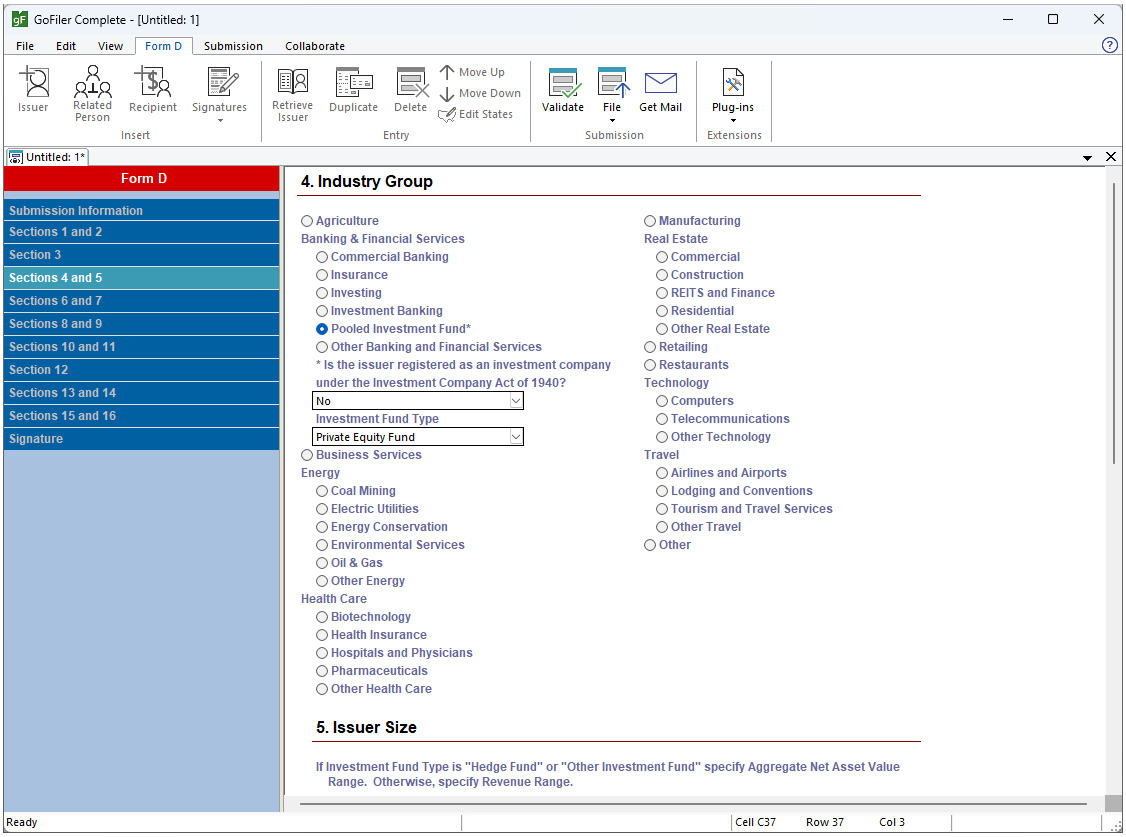

Import data from external sources using fast, powerful, and easy tools that add issuers, related persons, recipients, and signatures in seconds. Signatures can also be quickly conformed to the issuer list.

Check data for compliance with EDGAR system specifications at any time. Create simple proofs that match the SEC EDGAR archive rendering for Form D submissions or create your own proofing templates.

Keep data safe on your local network while you work. GoFiler is desktop software that doesn’t communicate your data to any external servers or services. When filings are ready, submission to EDGAR Next is secure and direct from your computer to the SEC.
The Form D Module is just one of dozens of modules available in GoFiler. Start building your custom compliance software today!
| 13F | 13H | 144 | 17-H |
| 24F-2 | ABS Exhibit Editor | ATS-N | C |
| D | Data View | EDGAR Standard Forms | Fee Exhibit Editor |
| MA | N-CEN | N-CR | N-MFP |
| N-PORT | N-PX | PDF View | Regulation A |
| SBS Entity Forms | SCHEDULE 13D/G | SDR | Section 16 Ownership Forms |
| TA | X-17A | XBRL GRIP Reporting | XBRL SEC Reporting |
Step One: Choose your base software.
GoFiler has two options to start building your custom software. The formats you need to file will determine which option to choose. GoFiler+ contains support for HTML editing as well as collaboration tools.
| GoFiler | GoFiler+ | |
|---|---|---|
| Text View | ✓ | ✓ |
|
Open and edit documents in plain text.
|
||
| Code View | ✓ | ✓ |
|
Open and edit the base code for HTML or XML documents. |
||
| Page View | ✓ | |
|
Edit HTML as rendered documents with tools to view the file as it would appear in a browser as well as view the underlying HTML code.
|
||
| Image View | ✓ | |
|
Create or edit images and save them to EDGAR acceptable formats.
|
||
| Collaboration | ✓ | |
|
Set up collaboration tools to have keep your team on track.
|
||
Step Two: Select your modules.
Each module for EDGAR filing contains the tools necessary to create, import data into, edit, validate, review, and file the specified submission types. Other modules contain the tools for creating and editing documents within the specified formats. The following modules may be purchased to build your custom compliance software package. Modules can be added to your subscription at any time.
| EDGAR Submission Modules | |||
|---|---|---|---|
| 13F | 144 | 17-H | 24F-2 |
| ATS-N | C | D | EDGAR Standard Forms |
| MA | N-CEN | N-CR | N-MFP |
| N-PORT | N-PX | Regulation A | SBS Entity Forms |
| SCHEDULE 13D/13G | SDR | Section 16 Ownership Forms | TA |
| X-17A | |||
| EDGAR Exhibit Modules | |||
|---|---|---|---|
| ABS Exhibit Editor | Fee Exhibit Editor | ||
| XBRL Reporting Modules* | |||
|---|---|---|---|
| XBRL SEC Reporting | XBRL GRIP Reporting | ||
| Document Editing Modules | |||
|---|---|---|---|
| Data View | PDF View | ||
* XBRL Reporting Modules require GoFiler+ as the base software.